
Payment Options
Repayment via InstantPay
2.
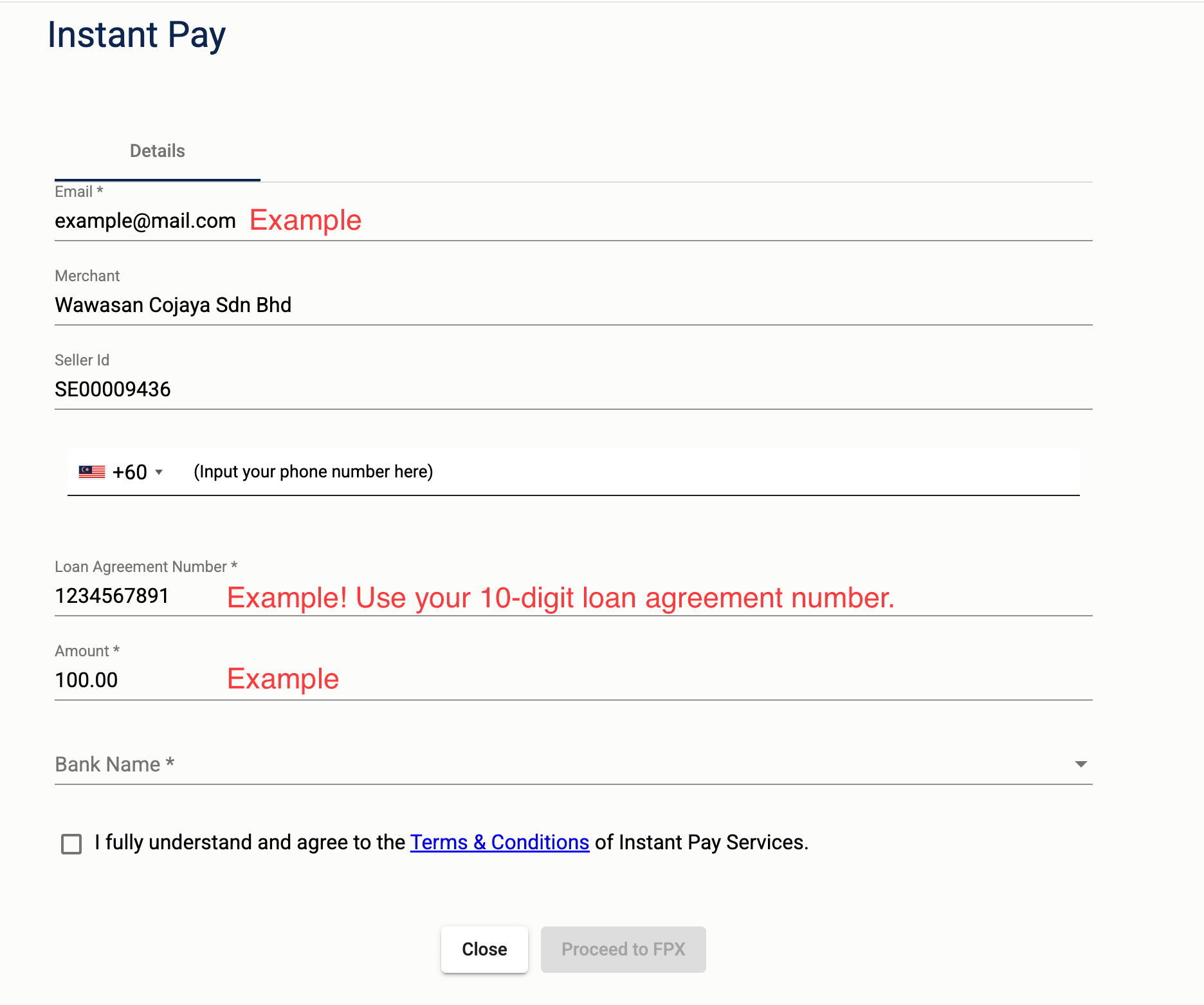
Fill out the form and click the button “Proceed to FPX”:
1. E-mail – Your e-mail to receive a receipt
2. Merchant – Don't change anything
3. Seller ID – Don't change anything
4. Phone number – Enter your phone number
5. Loan agreement number – Use your 10-digit loan agreement number.
6. Amount – Input the amount which you need to pay
7. Bank Name – Select your bank from the drop menu
8. Checkbox “I fully understand and agree to the Terms & Conditions of Instant Pay Services” - tick it in order to use Instant payment service
3.
Make authorization of your payment:
Once you click on “Proceed to FPX”, the page will be redirected to your online banking portal where you need to confirm the transaction from your bank account.